

Export Gojee Data
Export Data
The Export Data area of the dashboard groups together CSV exports available for your role. Depending on your access and enabled features, this can include:
- Inventory
- Assets
- Asset Instances
- Staff
- Staff Earning Rates
- Professions
- Templates
- Purchase Orders
- Job Profit List
- Supplier Catalogue
- Customer Price List
Most simple export workflows are gathered in one location on the Navigation Dashboard, under Export Data.
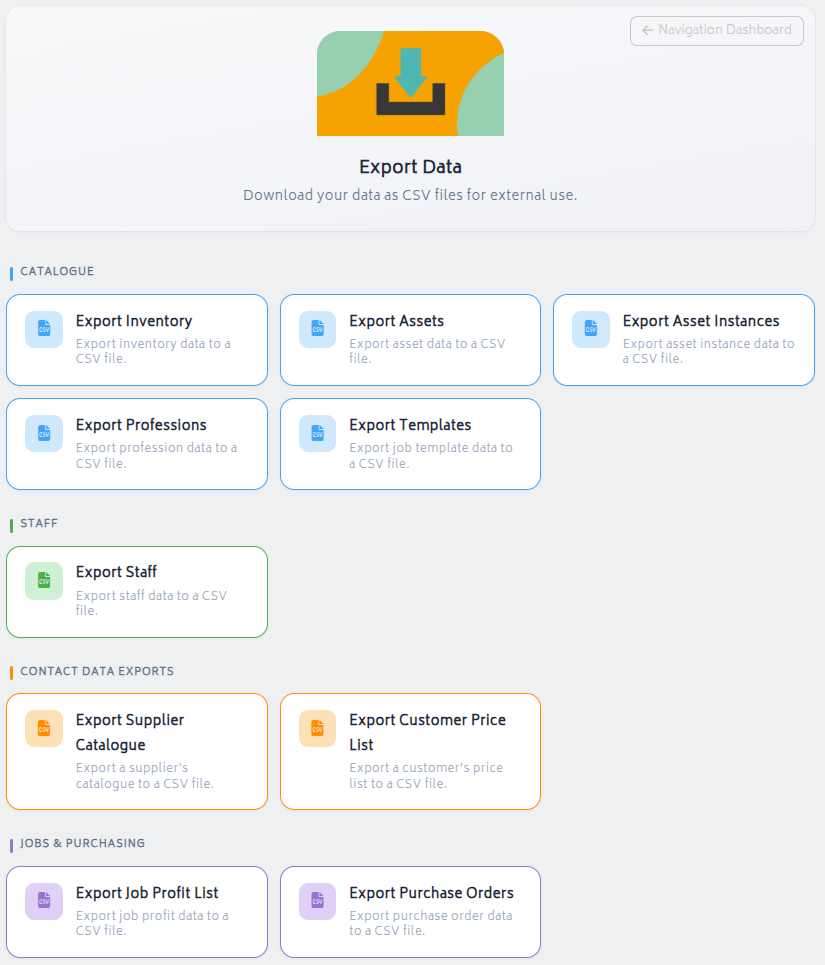
Available exports are grouped by area such as inventory, assets, staff, contact data, and jobs/purchasing. Click the resource you’d like to download and the CSV file will be exported directly from your browser. Exports that require detailed specifications as to which data to export, such as reports, will not be available here.
Exporting from Individual Pages
This download functionality is also present on the individual pages for inventory, professions etc. It's often listed under Actions > Export Items to CSV.
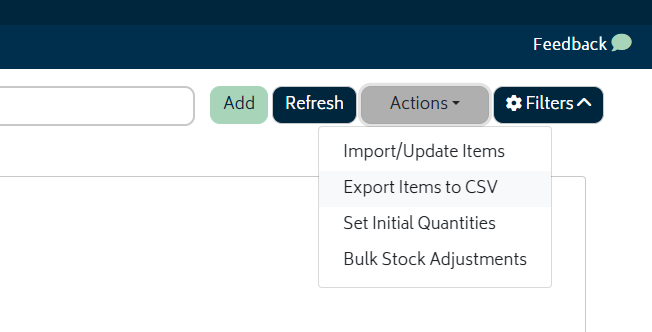
This is typically also where the import or update via CSV functionality is. For more information on this, see the relevant Inventory and Assets sections. Reports that allow exporting will also export a CSV.
Next: Back to Knowledge Base.