

Purchasing & Receiving
Last updated
- Introduction to Purchasing in Gojee
- Create Purchase Orders
- Receive Goods
- View, Edit and Email Purchase Orders
- Raise and Reconcile Supplier Bills
Create a Purchase Order for Existing Job
- Create a Purchase order for an existing job:
- You can create a purchase order for an existing job by either navigating to “Job Actions” INSERT THE LINK TO VIEWING EXISTING JOBS AND JOB ACTIONS or navigating to “Purchasing” from the home screen:
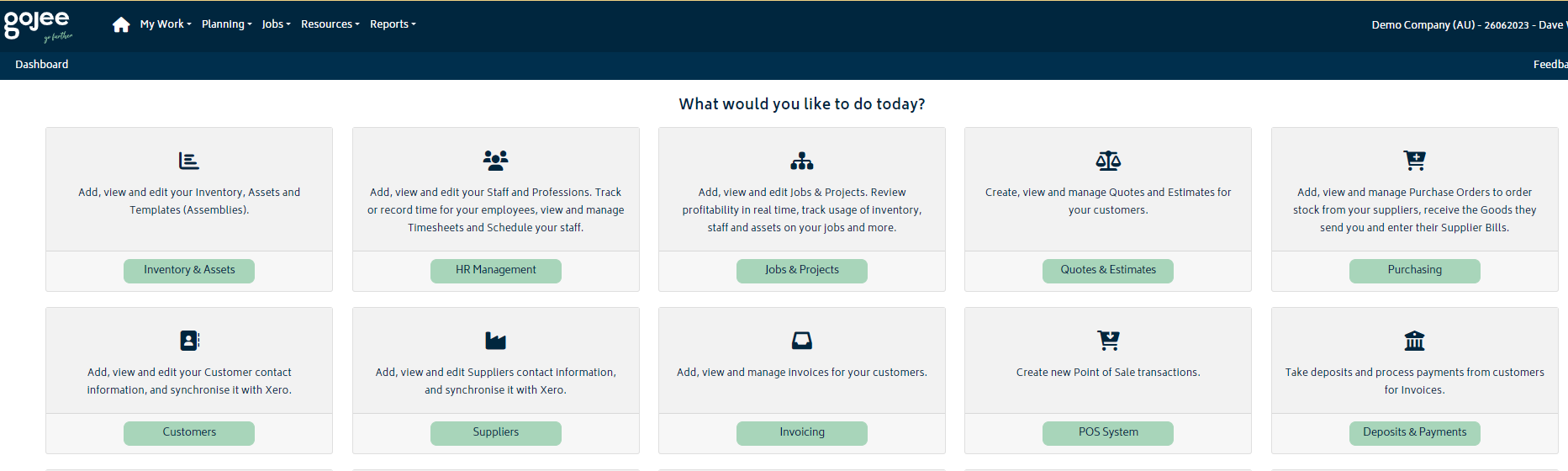
- You can create a purchase order for an existing job by either navigating to “Job Actions” INSERT THE LINK TO VIEWING EXISTING JOBS AND JOB ACTIONS or navigating to “Purchasing” from the home screen:
2. Select “Create a New Purchase Order”

3. Select the job that you want to raise the PO for:
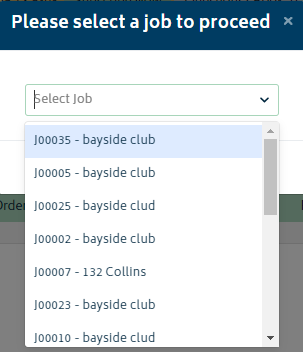
4. You will be directed to the Purchase order creation page.
Same as Job Actions > Purchasing > New Order
-
Start by explaining the difference between a Stock order and a Job Order.
-
Explain the process to Order for Jobs
-
Explain the process to Order for Stock
-
How to choose a supplier and what is the pre-requisite?View all Purchase Orders Same as Reports > Purchase Orders Receive Goods
-
- Same as Job Actions > Purchasing > Receive **– for a specific PO
- Same as Reports > Purchase Orders > Receive **– for a specific PO If this is a stock order, items will go to stock on hand
-
-
If this is a job order, items will automatically be consumed onto the job Enter Supplier Bills
-
- Same as Job Actions > Purchasing > Bill **– for a specific PO
-
- Same as Reports > Purchase Orders > Bill **– for a specific PO
-
- Same as Job Actions > Purchasing > Bill **– for a specific PO
-