

Gojee API
Introduction
The Gojee Open API allows you to connect external software, custom applications, and internal tools directly to your Gojee workspace. By integrating via the API, you can automate workflows, sync inventory, and manage jobs.
The add-on for the API is currently not user-selectable - please contact Gojee if you are interested in using it. For the duration of the beta period for the API, access is free of charge.
Enabling and Generating an API Key
To utilise the Gojee API, you must first create an organisation-level API key. Only administrators can revoke and create a new API key. To generate your API key, navigate to the organisation add-ons page and locate the “Gojee Public API Settings”.
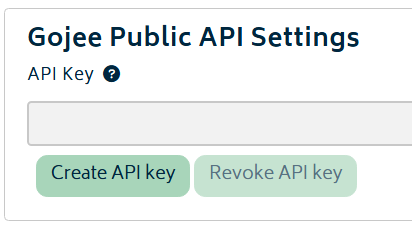
This is where the API key is managed and created. Although there is no limit on the number of times the key can be re-generated and revoked, only one key can be active at any one time.
Note: Treat your API key like a password. It provides broad access to your organisation's Gojee data. If there is any sign of the key being compromised, immediately revoke and regenerate a new one.
API Capabilities
At this point in time, the API supports the following workflows:
Jobs Management:
- Get all Jobs: Obtain a record of all ongoing and completed jobs, including detailed progress and client information.
- Post new Job: Create new jobs with all relevant header and detail information.
- Get Job by ID: Utilising a specific job ID, pull detailed information about the job, client, and its current status.
Business Contact Management:
- Get all Business Contacts: Obtain a record of all contacts, including their ID, Organisation ID, name, current customer status, account number, and creation date.
- Post Business Contacts: Create a new business contact with all relevant header and detail information.
- Get Business Contacts by ID: Obtain a detailed record of a specific business contact by ID.
Inventory Management:
- Get all Inventory: Obtain a record of all inventory items with a detailed breakdown including SKU, warehouse location, quantity on hand and more.
- Get Inventory (SKU): Obtain detailed information of a specific inventory SKU.
Job Transactions:
- Get Job Transaction Record: Given a job ID, obtain a record of all job transactions that have occurred since creation.
Record Consumables:
- Post Record Consumables: Given a job ID, item SKU, quantity, and warehouse location, allocate items that were used and record the changes.
More workflows are to be supported in the future - if there is specific detail you need, please reach out to us.
Details and Developer Documentation
The callback is /api/1.0/...
For full technical details, including endpoint URLs, request/response schemas, and data types, please refer to our developer documentation.
Next: Organisation Add-ons.
Or: Back to Knowledge Base.