

Progress Claims and Retentions
Introduction
Progress Claims and Retentions allows your business to invoice in a different way to the standard process of invoicing specific items on a job.
Once the add-on has been activated, the accounts will need to be set up from the GL Account Mapping tab under Organisation Setup:
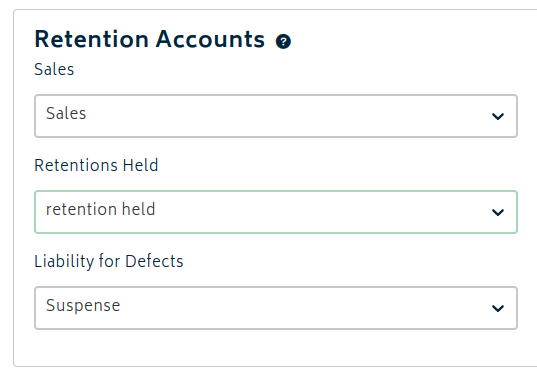
- Sales Account - Default account for invoices using the progress payment/retentions method. This can be changed when creating the invoice.
- Retentions Held Account - Balance sheet account of type current asset where the value of retentions held will be managed during the retention period.
- Liability for Defects Account - Balance sheet account of type current liability where the value of liability for the retentions held will be managed during the retention period. This will offset the current asset account above.
Setting up Retentions
In order to enable retentions for a job, the job must not have any existing invoices. A tickbox will appear on the General tab to "Track Retentions for this job". Enabling it allows you to set the contract value, retention amount, and keep any notes about the contract safe at hand.
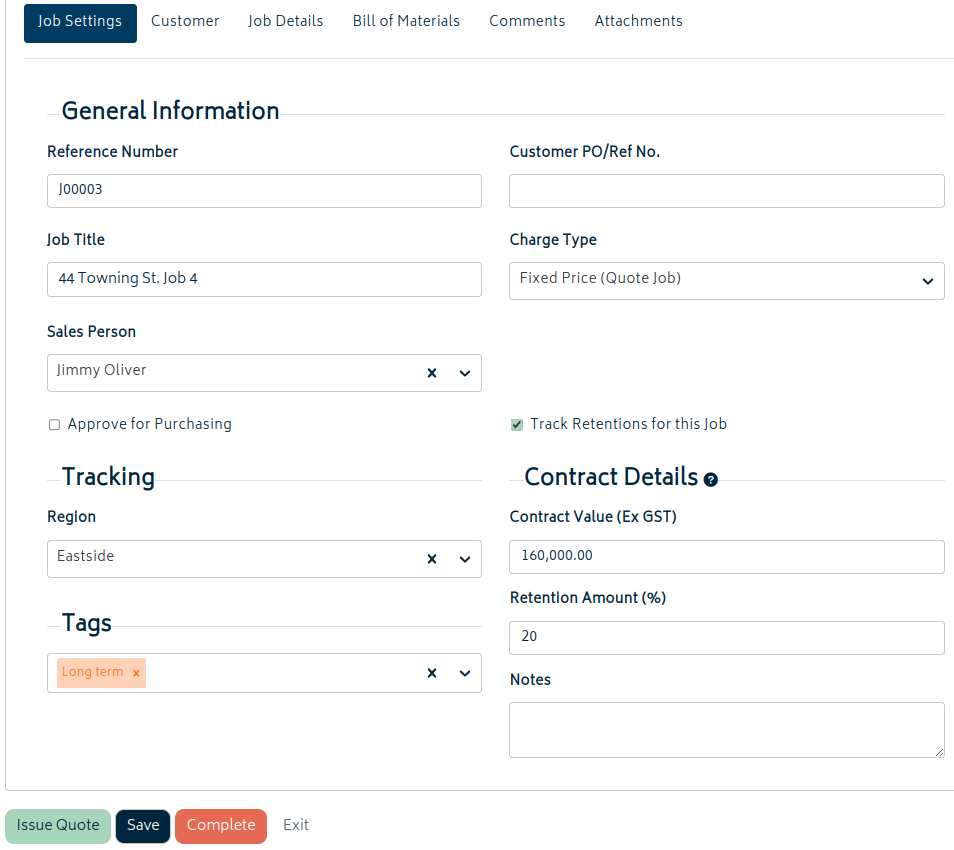
- Contract Value: This is a manually entered field. Set this number to the approved value of the job and it will be used when generating progress invoices with retentions.
- Note that this is not yet linked to approved quotes or the BOM value.
- Retention %: Set this to the % of each invoice that will be retained. When generating a progress invoice, the system will handle the retentions automatically based off this number.
- Note that this cannot currently be set to 0%. It is not presently possible to have progress invoices without retention invoices, but this is scheduled to change in the future.
- Notes: Store notes in this section relevant to progress invoices and retentions on this job.
Retention and Progress Invoices
When retentions are tracked for a job, the available style of invoices will change:
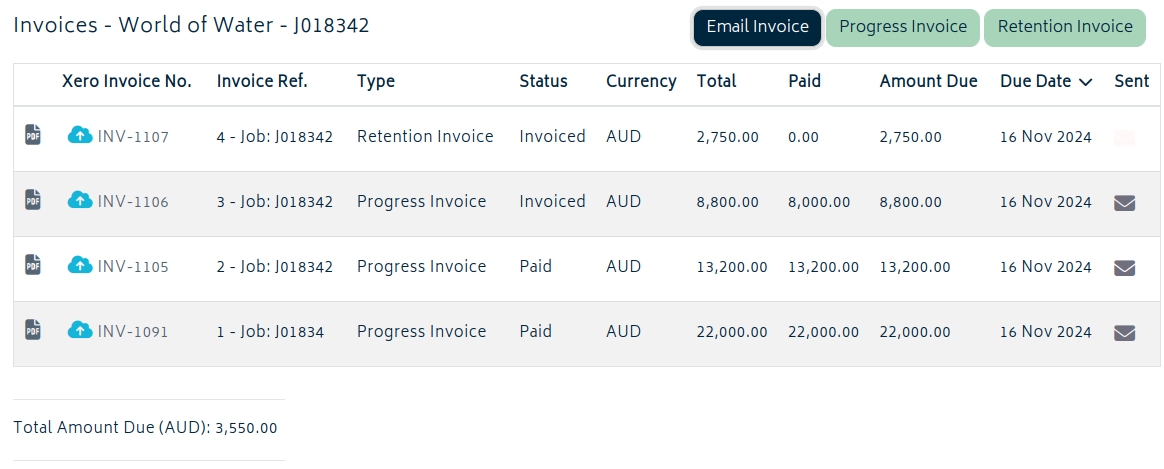
There are two different types of invoices for jobs that use retentions.
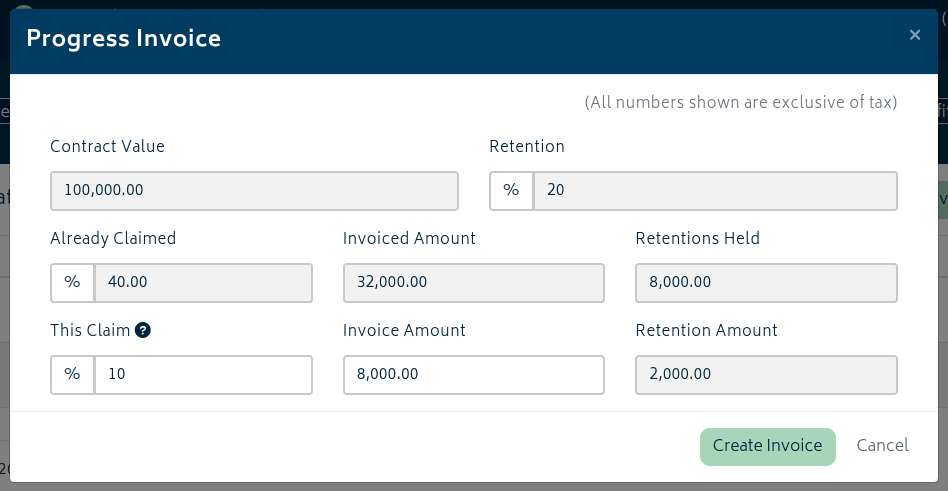
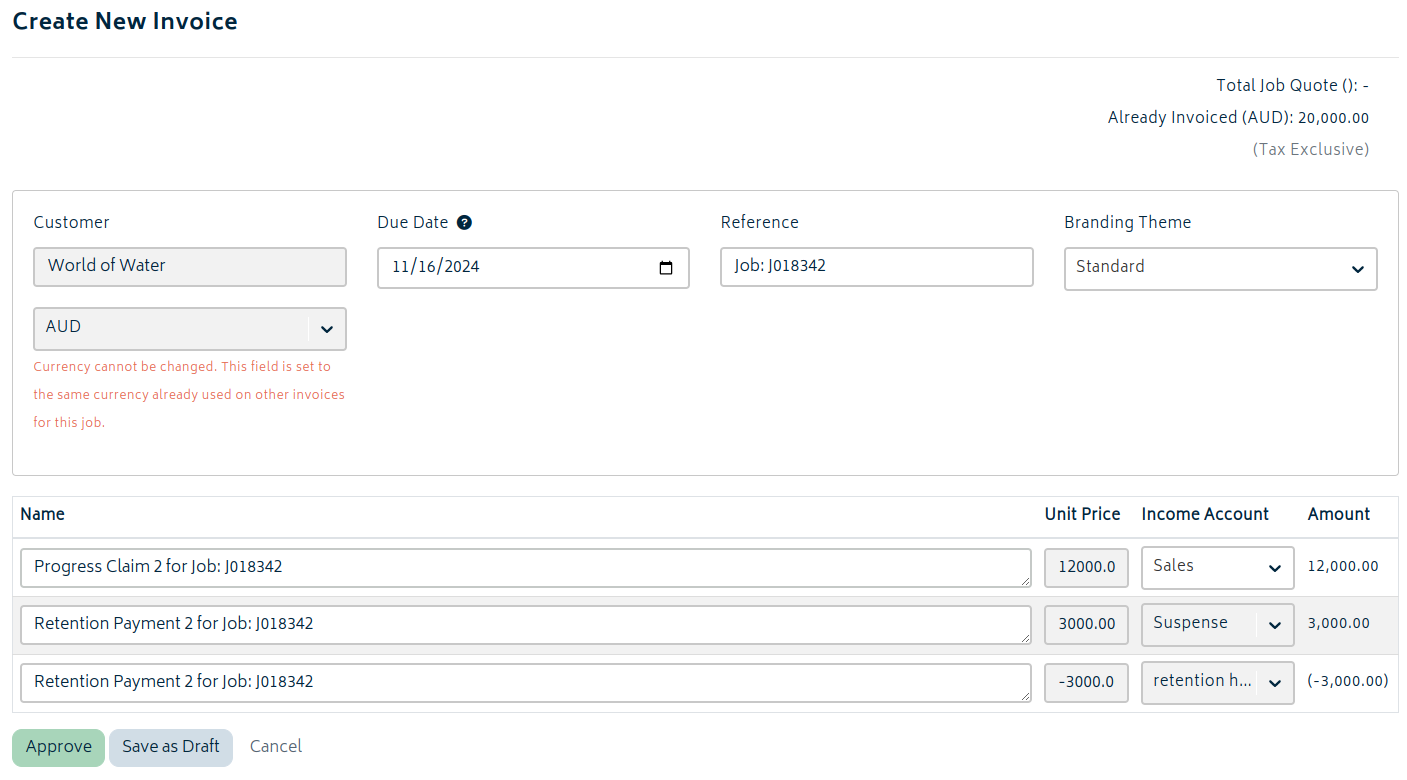
- Progress Invoices are the main type of invoice - this invoices a percentage of the total job and holds the retention amount of the total amount invoiced separately.
- Retentions Invoices are for covering the costs of rectifying any issues that come up. The retentions held amount will be used to pay for them.
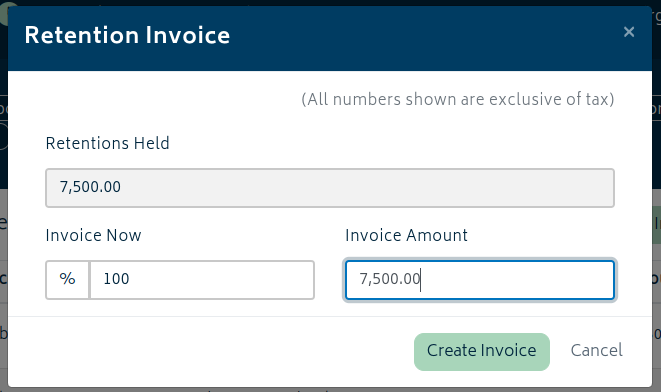
When invoicing, both progress and retentions invoices will have automatically generated values that cannot be modified.

Next: Organisation Add-ons.
Or: Back to Knowledge Base.