

Sales Contractors
About Sales Contractors
Sales Contractors are a special type of user you can enable that has access to certain functions of Gojee, but is restricted from accessing sensitive information. This add-on introduces the concept of "ownership" for jobs and customers. Jobs can only be owned by one Sales Person (the one assigned to it), but contacts can be shared.
Sales Contractors are able to create new jobs, customers, and single-use inventory items for those jobs, but cannot see the client, item, or job information that other sales people generate. This is useful for highly competitive industries where there is risk that your contractors may attempt to poach clients from other contractors.
Setting Up Sales Contractors
In order to enable Sales Contractors for your organisation, the add-on must be enabled in the organisation settings. Please contact Gojee if you wish to have it enabled.
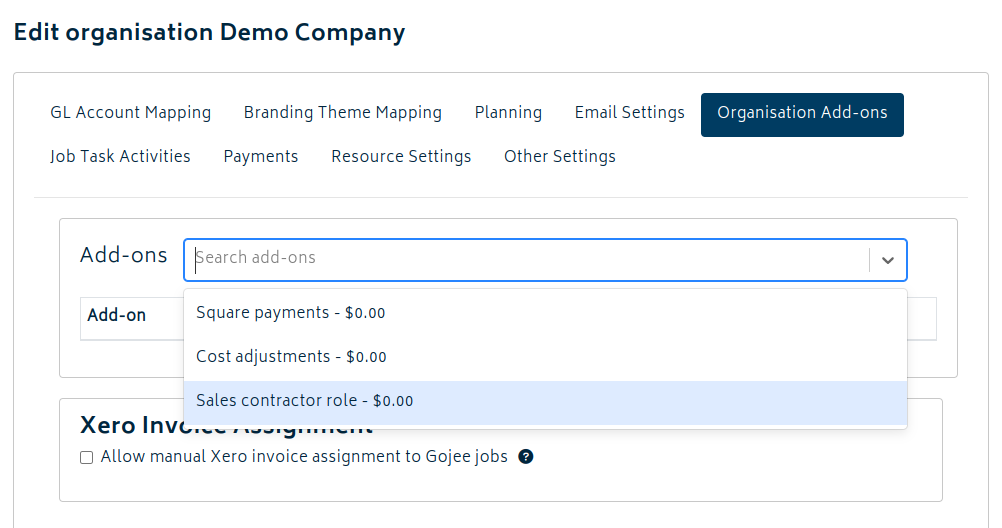
Once the Sales Contractors add-on is enabled, you will be able to set the role for users, whether they previously exist or are new users.
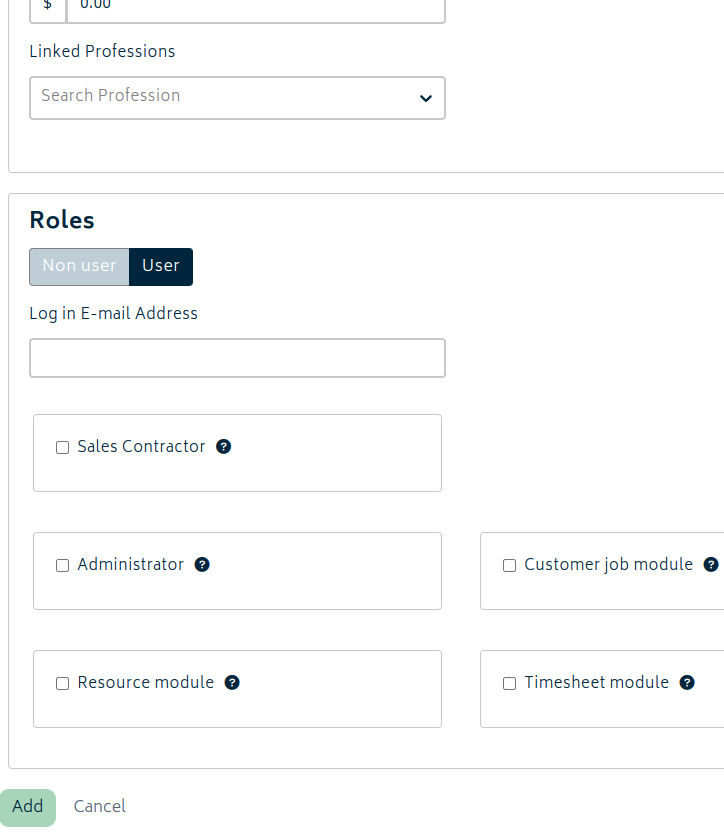
Note: the Sales Contractor role is incompatible with any other permissions. If selected, it will override and remove all other permissions for that user.
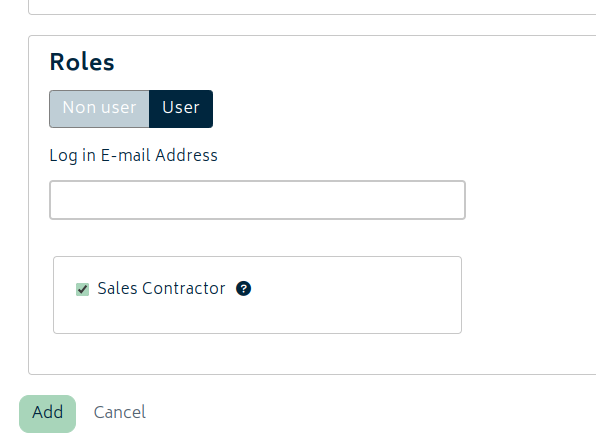
Abilities of Sales Contractors
Sales contractors will only see the customer contacts and jobs they create or those that are assigned to them by a software administrator.
Sales contractors have the ability to:
-
Create and view their own jobs and customers:
-
Use existing tags and tracking categories to organise their jobs.
-
Create new inventory items for single use on a job.
-
Generate quotes for the jobs that they generate, or are assigned to them.
- Approve or reject quotes that they have created.
- Generate sales orders.
- Email customers a quote and attach a PDF copy of the quote.
-
Approve the job for purchasing.
-
Check stock levels and view item details present in the inventory list.
-
Reserve items for and record consumables against a job, as well as return items to stock.
-
Upload attachments to keep track of information for a job.
-
View the invoiced and deposit amount for a job.
-
Mark a job as complete.
-
-
Update customer info:
- Change customer details.
- Modify the customer's currency (as long as it is a pre-existing currency within the organisation).
- Set customer price list rules on customers.
-
Record their daily activity:
- Clock in and clock out.
- Record their own breaks and downtime.
- Leave notes in their daily task review.
However, they are not able to:
- Purchase stock items for a job.
- Generate an invoice for a job or view generated invoices.
- Take prepayments for a job or view prepayments for one of their customers.
- Edit details of catalogue inventory items.
- Create new tags for categorisation.
- Delete quotes once they are generated.
- Start work on a job on demand.
- Access the reports menu (e.g., job profit, inventory movement).
Administrators will have access to the Audit Trail for any quotes the sales contractor makes. A full history of edits and changes in state made to a quote will be logged. For more information, please refer to the View Quotes and Estimates section.
Customer Contact/User Relationship
The default owner of the customer contact will be the person who creates the contact in Gojee. All admins of the organisation are able to see all contacts unrestricted. An admin can change the owner of contacts to another user if they wish, or add more users as owners of that customer.
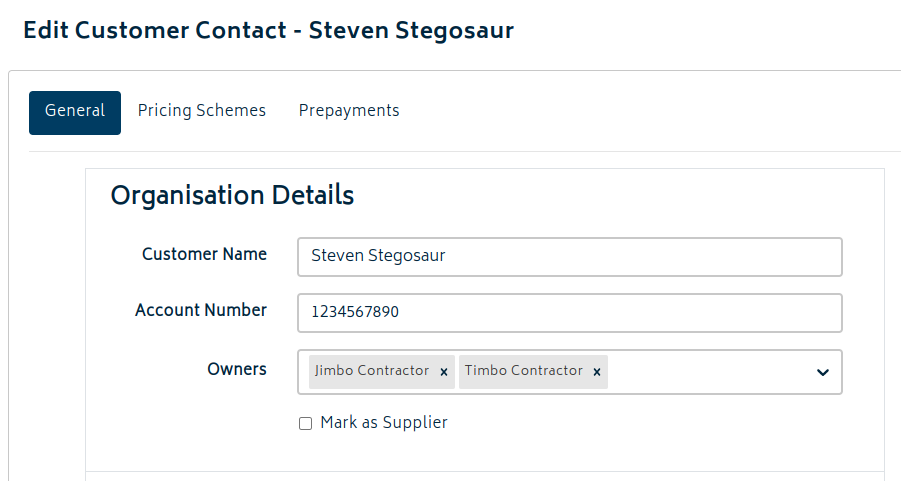
Note - all contacts are still synchronised into Xero as normal. Sales Contractors do not have access to Xero, so they are unable to view the details of contacts with ownership held by other contractors that way.
Next: Organisation Add-ons.
Or: Back to Knowledge Base.